
It’s very important to have knowledge about image formats. Everyone uses images in their daily life but only few know when to use which format!
Using the wrong image format can be a huge loss in every field and from every perspective. When it comes to websites, using the wrong image format can slow down your website, increase storage usage and can hurt SEO. In 2025, choosing formats smartly is more important than ever!
Before the actual image comparisons, I would like to say “it’s not about image formats, it’s about their use cases!” Format differentiation comes according to their use cases. If you want an image for photography, it’s a different format. If you want it for graphic – different one and website – different one. Difference comes based on the purpose – the exact reason why you’re using that specific image.
Today, let’s compare all these 5 Image formats and get clarity on which you should use for your work!
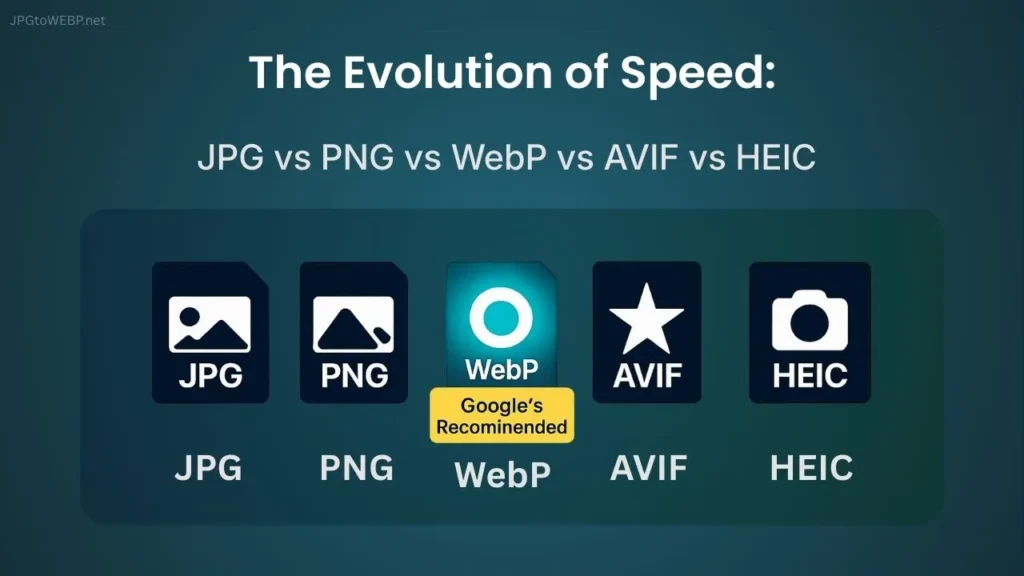
Table of Contents
Image Format Comparison Table
It’s a table that shows the major difference between each image format according to different use cases in 2025.
| Feature | JPG | PNG | WebP | AVIF | HEIC |
|---|---|---|---|---|---|
| File Size | Medium | High | Medium – Low | Low | Low |
| Image Quality | High | High | High | Excellent (best) | Very Good |
| Transparency Support | No | Yes | Yes | Yes | Partial |
| Animation Support | No | No | Yes | Yes | Yes |
| Best Used For | Photography | Logos & Graphics | Websites, Modern Web Images | High-quality pro imaging | Mobile photo storage |
| SEO Performance | Medium | Medium | High | High | Poor / Not Supported |
| Browser Support | 100% | 100% | 98% | 92-93% | 0–5% |
| Compression Type | Lossy Compression | Lossless Compression | Both Lossless & Lossy | Both Lossless & Lossy | Both Lossless & Lossy |
| Load Speed | Medium | Low | Excellent | Very Good | Medium |
| Mobile Optimization | Low | Low | Very Good | Excellent | Medium |
| WordPress Support | Yes | Yes | Yes | Yes | Yes |
| Created By | JPEG Group | Thomas Boutell | AOMedia | MPEG |
Did you observe? The difference comes based on our intent behind that specific image.
Pro Tip: Choosing image formats based on your use case is a smart move, rather than choosing by trend!
JPG – A Format Known for Photography
JPG, a universal format that’s not beatable especially when it comes to photography. It holds the best visual colors and gradients making it perfect for real-world photos.
JPG is all time best for:
- Detailed Photography
- Portraits
- High Quality Printing
- Sharing Online
Meanwhile, JPG is not best for:
- Logos & Graphics
- Text-based Images
- Websites
JPG is not good when it comes to website use. Its huge size makes the website slow and negligible for ranking high.
Want to compare only JPG vs WebP? Check out the comparison article JPG vs WebP: Which Image Format is Best for Your Website.
PNG – A Format Known for Transparency
PNG is a classic image format mostly used for the images that require transparent backgrounds. PNGs are heavier in size compared to JPG but mostly used for Graphic works and logos, but highly not recommended for websites!
PNGs are huge in size but they are best for:
- Graphic Overlays
- Logos & Icons
- Illustration and Charts
- Diagrams and UI Elements
- Screenshots
And PNG is not best for:
- High Quality Printing
- Photography
- Websites
- Animations
PNGs are important for transparent images. Even though other formats like WebP also support transparency, PNGs are best if pixel-perfect clarity is required.
PNGs are heavier in size compared to JPG so not suitable for photography and websites!
WebP – A Format Launched and Recommended by Google
WebP has been a well-known format for years, especially used for websites. It’s a modern format that supports high-quality visuals, Transparency, Animations, and can also be used for graphics. Most benefits in a single format!
But it’s highly recommended by Google for web use (blogging, e-commerce, digital marketing, etc).
WebP is best for:
- All Types of Websites
- Product Photographs
- Logos and Icons
- Animations
- Graphic Works
- Software & Mobile Applications
- Social Media
Also WebP is not best for:
- Professional Printing
- Non-Web Uses
If you are a website owner, WebP is a best and smart option for improving SEO, Rankings and Earnings. Our online WebP converter will convert your JPGs to WebP with maximum safety.
WebP = up to 50% smaller size with same quality.
AVIF – Best Quality But Not Practical for Everyone
AVIF image format has a capacity to deliver smaller size images than WebP (60-70%) with best visual quality but not convenient for daily blogging. In simple words, AVIF is not suitable for website use.
AVIF is actually fast in loading and offers compact file size, but it is not suitable for websites. AVIF has a lack of technical support and it’s still not fully supported by all browsers (93% vs WebP’s 98%).
AVIF is best for:
- HDR Images
- Photography Experts
- High-end Design Projects
- Animations
And AVIF is not best for:
- Websites (due to support issue)
- Professional Printing
AVIF is not an optimal choice for logos and Icons compared to PNG and WebP.
HEIC – A Format by Apple
High Efficiency Image Container (HEIC) format is owned by Apple and mostly used for images in iPhones to save storage.
HEIC is fine for phones – especially Apple devices – but not for the internet! And less than 5% of browsers support HEIC. So, converting HEIC to WebP is good for all uses.
HEIC is best for:
- Personal Photos in iPhones
- Transparent Images
- And Best within Apple Ecosystem
HEIC is not best for
- Websites
- Printing
- Graphic Designs
- Sharing Online
- Editing
- Social Media
HEIC is good but only within the Apple ecosystem.
Which Format Should YOU Use?
Deciding a correct image format for you is crucial but let’s make it simple!
At first, think why you need image. Second, see which image format fits best for your work. Third, USE IT. Simple!
For more clarity, let’s recap which image format is best for different use cases!
| Use Case | Best Image Format |
|---|---|
| Photography (Portraits / Travel / Nature) | JPG |
| Website Blog Images | WebP |
| Product Images (E-commerce) | WebP |
| Logos with Transparent Background | PNG / WebP |
| Icons & UI Elements | PNG / WebP |
| App / Software Screenshots | PNG / WebP |
| Social Media Posts | WebP / JPG |
| Thumbnails (YouTube, Blogs, Social) | WebP / JPG |
| High-Quality Printing | JPG / TIFF (not for web) |
| Transparent Overlays / Stickers | PNG |
| Animation (Short Loops) | WebP / GIF (fallback) |
| HDR or High-Dynamic-Range Photography | AVIF |
| Infographics / Charts / Diagrams | PNG / WebP |
| Email Newsletter Images | JPG / WebP |
| Apple Device Photos | HEIC (convert to WebP for web) |
| Website Background Images | WebP |
| Vector-style Graphics | SVG (if scalable), else PNG / WebP |
| Meme Images | JPG / WebP |
| Printable Documents (Embedded Images) | JPG |
Pro Tips to Handle Images Correctly
In my personal experience I would like to say:
- Always rename your images properly after using image converters.
- Make sure to add an Alt text for every image you use, It helps in SEO.
- Maintain Proper Image Dimensions (Under 1600px)
- Never use heavy images directly in your website, convert them to WebP before using.
- Never upload RAW JPG or PNG directly to WordPress.
- If possible, add a small description for every image you use in your website.
Conclusion
In conclusion I would like to say, Don’t underestimate image formats – they can make or break everything you’re working on!
Every format has its own purpose. It’s very very important if you are using images for your website! Make sure to remember, For websites – WebP is the future!
If you have any doubts, you can always take reference from our comparison table.
In the end, please don’t select image formats according to the trends, your own decision matters for your future! If you want to convert to WebP, use our safe WebP converter.
Have a Great Day!