
Let’s be straight, JPG was good 15 years ago until the browser friendly format WebP was born! But using JPG images in 2025 is the main reason for why your website is suffering day by day!
In simple words, using JPG directly in your website can cause highly negative impacts on SEO, slower loading pages, bad user experience on site, and has the power to tank your rankings! JPGs are so heavy (in size) that our websites can’t handle its pressure.
For this exact reason, Google brought a perfect solution and introduced WebP image format in 2010. WebP is usually made for websites with a capacity of holding the best visual quality but in a very lower file size. Most beginners use JPGs because they don’t know about these losses! But it’s time to correct everything!
If you have a dream about ranking your website (like everyone has), using JPG images will directly destroy them! WebP is made for web use, recommended by Google, improves user experience, high SEO, high rankings and what a website needs besides this? Simple, using WebP = saves your website health = high chance to rank!
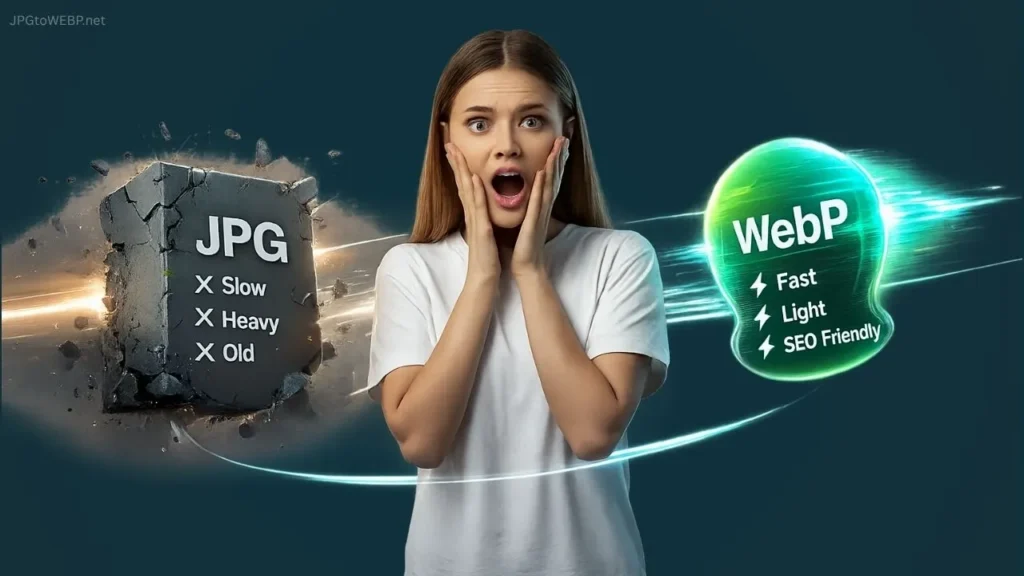
Table of Contents
Why Is JPG A Heavy Image Format (And Why You Should Avoid It)?
JPG images are basically larger in size compared to WebP, because it’s highly made for other uses like photography, sharing and printing. These purposes require higher pixel images, so no doubt JPG is good for those with high quality and larger size! But when it comes to website use, it acts completely opposite and slows down your website, causing heavy load on your hosting and Google hates this!
JPG images can be the reason for these negative impacts on your site and SEO.
- Bad user experience from slower loading images and pages
- Acquire huge amount of space inside hosting
- Lower website performance score
- Negative impact on core web vitals
- High bounce rate on website
- Lower rankings, etc.
To explain the huge difference between JPG and WebP we posted this JPG vs WebP Comparison. Make sure to check it out for maximum clarity.
Reason 1: JPG Directly Slows Down Website Speed
Speed is a highly required factor to rank high in search results. Using Large images = Slow websites, and Slow websites = Bad SEO and rankings. JPGs huge file size is an actual enemy for website speed!
Let’s understand how JPG destroys site performance in simple words! JPGs are heavy in size which cause longer loadings and users have to wait longer on your website (remember waiting is different from sustaining). Tell me honestly, is it a good user experience? Absolutely NOT, and even a 1–2 MB JPG can act like a traffic jam for your website. And WebP exactly helps you by clearing that traffic jam!
Simple, WebP is made for speed! And speed is equal to a lot of benefits for our websites. So by using WebP, a lot of technical things will be improved that we don’t even know about. For better clarity, read Does WebP Images Really Improve Website Speed and Rankings in 2025.
Reason 2: JPG Can Damage Core Web Vitals.
Core web vitals, a set of metrics (developed by Google) that measures the user experience on our website. The most important one is LCP, and heavy JPGs have the capability to destroy this score!
Largest Contentful Paint (LCP)
LCP is one of the main metrics in core web vitals that checks how fast the main image in your hero section loads. In simple words, it measures the time it takes for your biggest content to show up on the screen. And if this metric fails due larger size images, website rankings will go down automatically!
Google demands that your LCP happens in 2.5 seconds or less.
Just because JPG images are heavier in size, they can take more time to load or download. This delays the LCP time significantly. If your LCP takes longer than 2.5 seconds, Google considers your page “Slow” and may rank you lower.
Using WebP reduces the file size significantly, allowing images to load immediately. This keeps your LCP score ‘green’ and your rankings safe.
You can check these metrics for your website on pagespeed insights.
Reason 3: JPG Is Not SEO-Friendly in 2025
Google announced the modern WebP format 15 years ago to replace JPG, especially because it’s not SEO friendly for websites. People think JPG looks better in quality – NOPE, WebP looks the same at even 50% smaller size.
JPG is not considered as SEO friendly because it can’t provide satisfaction for users (especially in websites), as well as for Google! Google doesn’t like those websites that load too slow, have lower user engagement due to bad experience, and have higher server loads!
WebP – a modern image and SEO friendly format that supports High quality images like JPG (in very lower size), supports transparency (like PNGs) and most importantly, it’s SEO Friendly.
To know more about the SEO benefits of WebP, read What is WebP and How it Improves SEO.
Why WebP Is The Future?
WebP is considered as the future of web images because it contains higher quality but smaller size images, supports both lossless and lossy compression, animation and graphics (all in one). JPG and PNG have their own place, but NOT for websites!
Supports Lossless and Lossy Compression
Lossless and lossy compressions are a method where images can be compressed with or without reducing the original quality of images. WebP supports both!
Saves Hosting Resources
WebP can save more space inside your hosting compared to JPG and PNG. Imagine if a JPG around 2MB is used in your website, it may not be seen as heavy. But have you ever thought about how much space it acquires when it comes to hundreds of images? WebP can hold the same image quality in 40-50% smaller size!
The Real Problem: Beginners Still Upload JPG Directly
Beginners still don’t know about the benefits of WebP and losses of JPG for websites!
Personally, I found several site owners who are still using direct JPGs and have no idea about what WebP is! I explained to them about WebP and its benefits, and trying to reach more people through this article. It’s not a beginner’s mistake, even I made a lot of mistakes when I was a beginner. But upgrading ourselves according to the latest technology is what actually matters!
The Correct Solution: Always Convert JPG to WebP (But Safely!)
We all know that converting JPG to WebP is necessary but, doing it in a safe way is more important! Safety matters guys, because I found several online converters that use server-side conversions and store your images secretly!
To convert safely, check our full guide: How to Convert JPG to WebP in the Safest Way (Beginner Guide).
Most of the available converters use an internal server to convert your images. They use this exact method – First, all of your images are uploaded to their server, then convert it to WebP, and give you a download option. This method is very risky because there is a high chance that your images are stored secretly in their server without even knowing!
For this exact no-privacy reason, we developed a Client-Side WebP Converter where all the JPGs are converted safely inside your browser. Our WebP converter fully works inside the user’s web browser without using any servers. Which means, no server uploads, 100% safe conversions inside your browser and 0% risk of image leaks!
FAQs
Why shouldn’t we upload JPG images directly to websites?
JPG can hurt site SEO and rankings with its larger size images. So, using WebP can maintain the same image quality with 50% smaller size and improves SEO as well.
Does JPG really slow down a website?
Yes, and the main reason is its huge file size! JPG can cause heavy server loads on your website and can ruin the user experience with slower loading images and pages. WebP is better for web use compared to JPG.
Should beginners use WebP instead of JPG?
Yes! Using a safe and modern WebP format is the safest option for beginners. It improves a lot of technical things in our website that we don’t even know about. JPG can break some things but WebP can make some things!
Will WebP affect image quality?
No, not even 1%! We are not sure about other converters but, we can guarantee that your image quality will remain the same after converting to WebP by using our Safe JPG to WebP Converter.
How do I convert JPG to WebP safely?
Very simple! Just open JPGtoWEBP.net, select the JPGs you want to convert, choose conversion presets or manual settings and press the convert button. All of your JPGs are converted to WebP in the safest way as possible!
Conclusion
In conclusion, WebP is a goldmine of SEO benefits. No doubt JPG can hurt your website speed, performance and rankings. WebP will work exactly opposite and work to improve your website and easily bypass these problems!
That’s why WebP is better in all scenarios! It saves storage space, increases site speed, boosts user experience, SEO, rankings and Google won’t need more than that to rank a website!
By the end of this article, I would like to say, Please don’t upload JPG directly to your website in 2025. SEO and user engagement are highly important for a website and JPG can exactly damage them!
If your website speed matters, WebP is the only direction you should look at. Just make sure you convert safely using client-side tools.
Have a Great Day!